
MVP Features: What to Include vs What to Cut
How to decide which features belong in your MVP and which to save for later. A practical framework with real examples of common over-builds.
Bottom Line
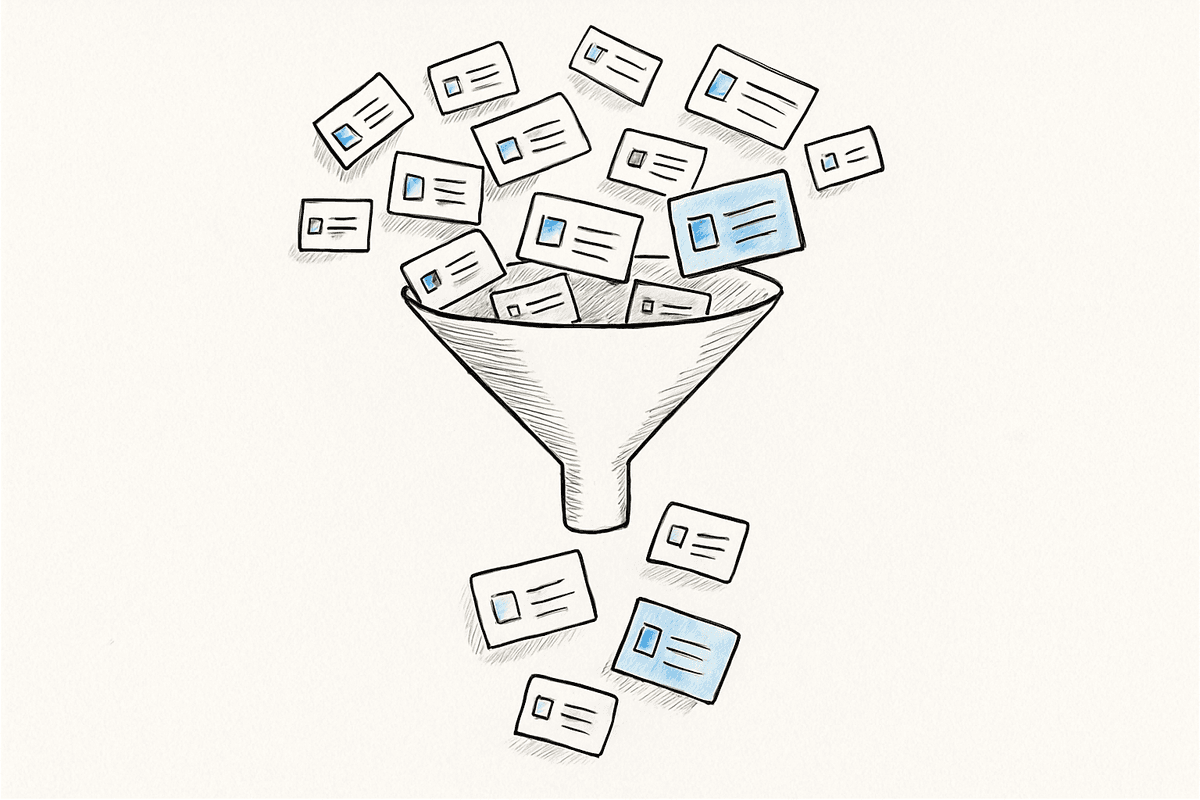
There's one question to decide whether a feature belongs in your MVP: "Can we validate the core value without it?" If yes, cut it. It's Phase 2.
What Happens When You Pick the Wrong Features
80% of MVP timeline overruns happen because there are too many features. Including every "nice to have" doubles the development time and the cost. The bigger problem is that a delayed launch delays market validation itself.
After 17 years of building products, nearly every initial feature list I've seen was 2–3x what was actually needed. You need to cut more than half to build an MVP that's truly minimal.
Feature Prioritization Framework: Must / Should / Could / Won't
Classify every feature into four tiers.
| Tier | Criteria | Include in MVP? |
|---|---|---|
| Must | The service doesn't work without it | Yes |
| Should | Important for UX, but the core still works without it | Selectively |
| Could | Nice to have, no real impact if missing | No |
| Won't | Not needed right now | No |
Your MVP should contain all Musts + some Shoulds. Everything in Could and Won't goes to Phase 2.
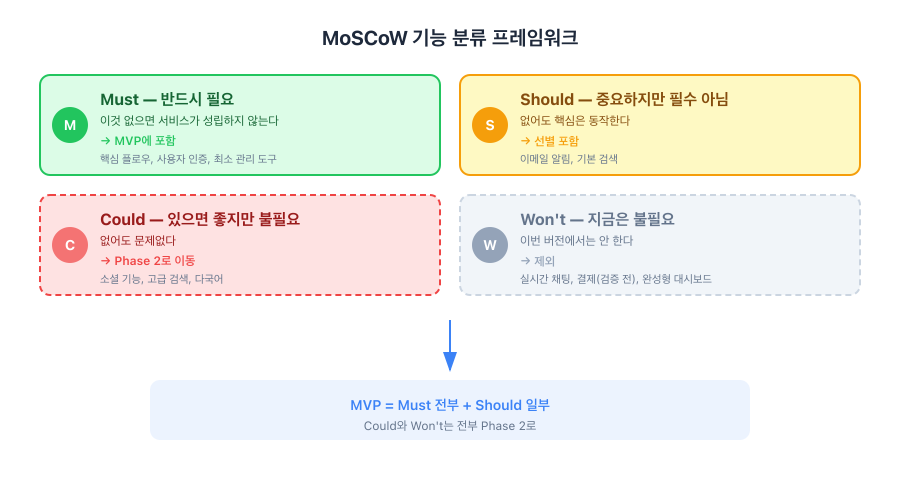
The key question isn't "is this a good feature?" — it's "does the service break without it right now?"
Features Every MVP Needs
These vary by service type, but most MVPs share these common requirements.
1. One Core User Flow
The single flow that proves your service's reason to exist. For a delivery app: "order → pay → track delivery." For a matching platform: "create profile → match → connect." If this one flow works smoothly, the MVP succeeds.
2. User Authentication
Sign-up and login. But at the MVP stage, a single social login (Google or Apple) is enough. Email verification, password recovery, and two-factor authentication are Phase 2.
3. Minimal Admin Tools
The bare minimum to keep operations running. You don't need a dashboard for every data point — just enough so the service doesn't stop functioning. Early on, a Supabase console or a simple admin page is sufficient.
7 Features to Cut from Your MVP
These are features I repeatedly advise clients to defer. Every one of them has caused scope creep in real projects.
1. Full Admin Dashboard
Admin panel costs scale sharply with screen count. Statistics charts, user management, content management, settlement management — build all of them and the admin panel alone eats 30–40% of total development cost. Start with the minimum needed to view and edit core data.
2. Real-Time Chat
Chat is deceptively complex. WebSocket connections, message persistence, read receipts, push notifications — for a single feature, it takes significant development time. At the MVP stage, email links or third-party chat tools (Intercom, Crisp, or local equivalents) can substitute.
3. Complex Notification Systems
Email notifications, push notifications, and in-app notifications all at once is a post-MVP task. Implement the single most critical notification (e.g., order confirmation email) and add others based on user behavior data.
4. Multi-Language Support
Even if you're targeting global markets, start your MVP with one language for your primary market. Localization affects not just UI text but also content, customer support, and legal documents.
5. Social Features
Likes, comments, follows, sharing — these features are meaningless when your user base is small. Add them when you've reached a scale where community dynamics actually matter.
6. Advanced Search and Filters
Category filters, price ranges, sort options — building all of these requires significant work on both frontend and backend. Start with basic search, collect data on how users actually look for things, and then design filters based on real usage patterns.
7. Payment System (Before Validation)
Building payments before validating the business model means you'll have a payment system with no one to pay. Pre-registration forms or manual payments (bank transfer) can confirm demand first. Then integrate a payment gateway. Exception: services where payment is part of the core flow (e-commerce, etc.).
Practical Decision Tips
"Users Want It" Is Not Evidence
User needs for an unlaunched service are assumptions. Only prioritize features that real users have paid for, invested time in, or explicitly requested.
Don't Chase Competitor Features
Competitors have spent years accumulating features. Benchmarking their feature list at the MVP stage is an endless trap. Focus on one thing you offer that they don't.
Build a Phase 2 List
Features you cut aren't discarded — they go into a Phase 2 list. After MVP launch, review user feedback and re-prioritize from that list. Having a documented list also helps when stakeholders push back: "We're not removing it, we're scheduling it for the next phase."
Wrapping Up
MVP feature decisions start with "what to cut", not "what to add." Keep only the minimum needed to validate one core value. Everything else gets decided in Phase 2 based on real user data.
If you're unsure what to include and what to defer, just share your requirements. We'll help you define core features and structure the phases together.
Get notified of new posts
We'll email you when a new blog post is published.